The list runs from customizable templates and a modern layout to a beach photo site and a scenic landscape site that sets the mood before anyone arrives.
Choosing a website builder comes first, because it decides which templates you can use; match the stationery to the site afterward, not the other way around.
Whatever look you pick, start building early, and keep RSVP management simple so guests can answer in under a minute.
1. RSVP Management
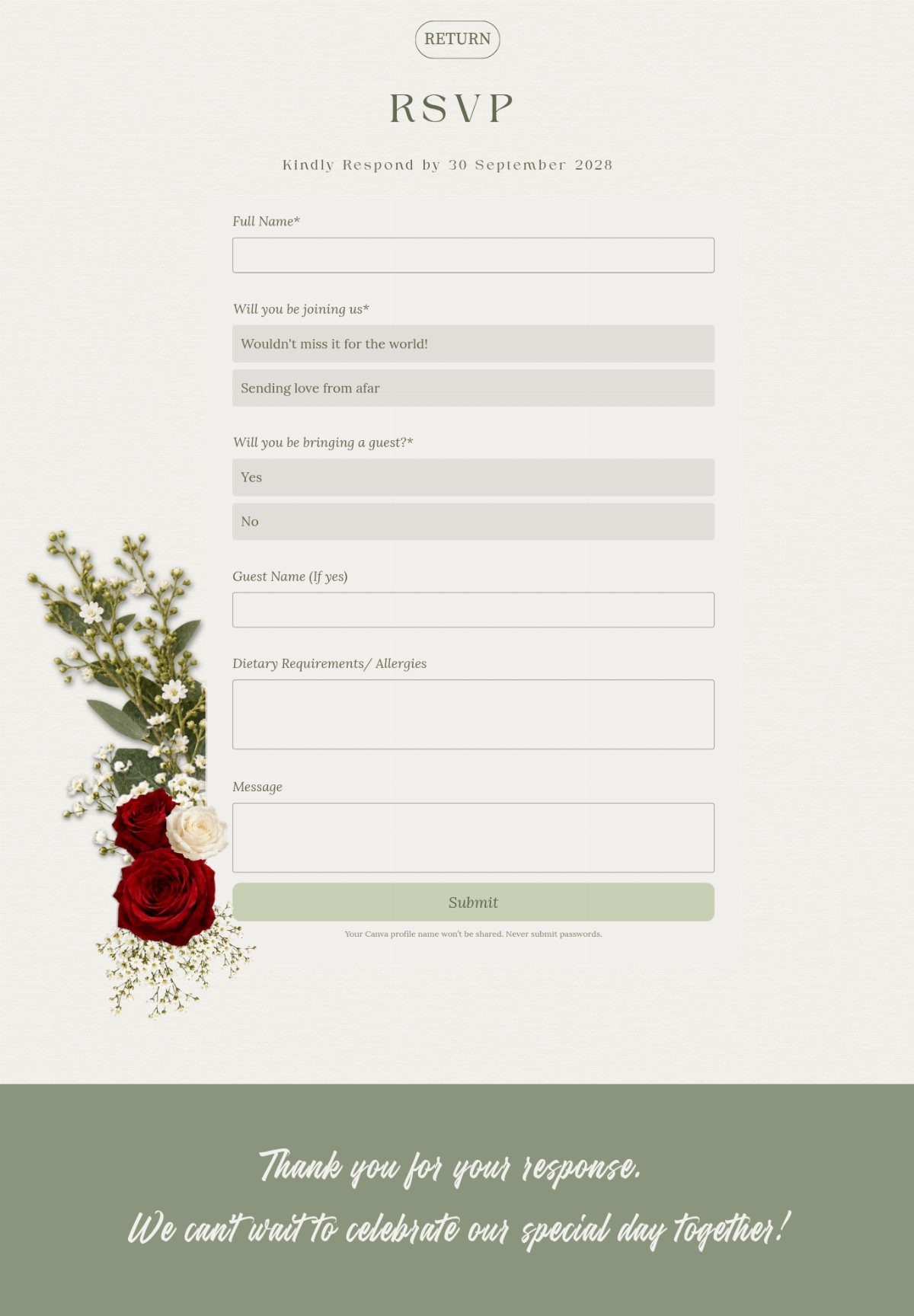
A good RSVP form asks for only what you need to plan: name, attendance, plus-one, dietary needs and a short message. 5 fields is plenty.
Keep the "Thank you for your response" confirmation page. Guests like knowing the answer went through, and it saves you a round of "did you get mine?" texts.
I would make the dietary field required for anyone who says yes, since caterers want that count early.
2. Customizable Wedding Website Templates
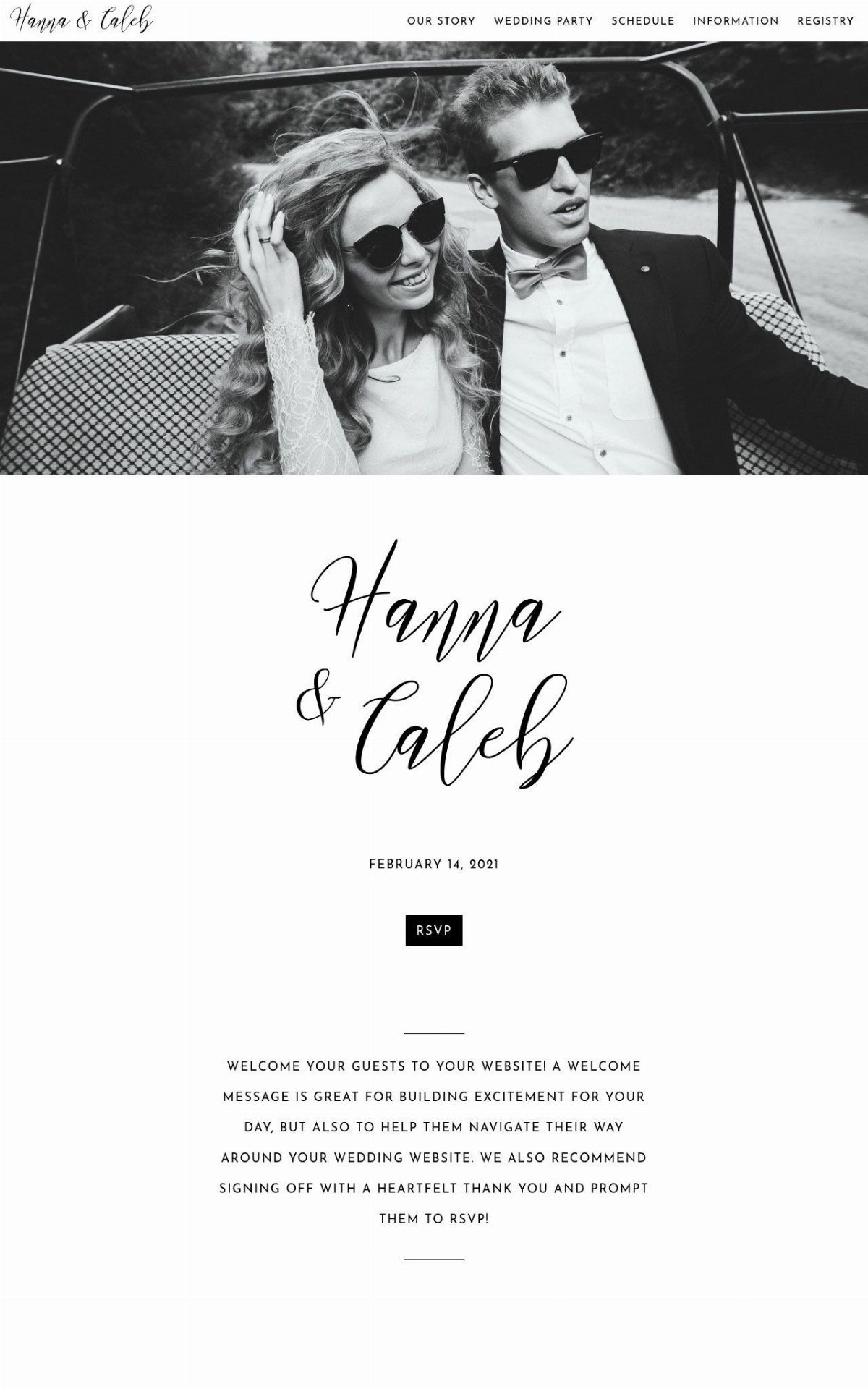
Customizable templates let you swap in your own names, date and photo without touching any code. That is the whole appeal if you are working on a deadline and a tight budget.
A single strong photo does most of the work. A black and white shot keeps the page calm and hides the fact that you are using a template at all.
Put the RSVP button where it shows up without scrolling.
3. Matching Stationery and Wedding Website
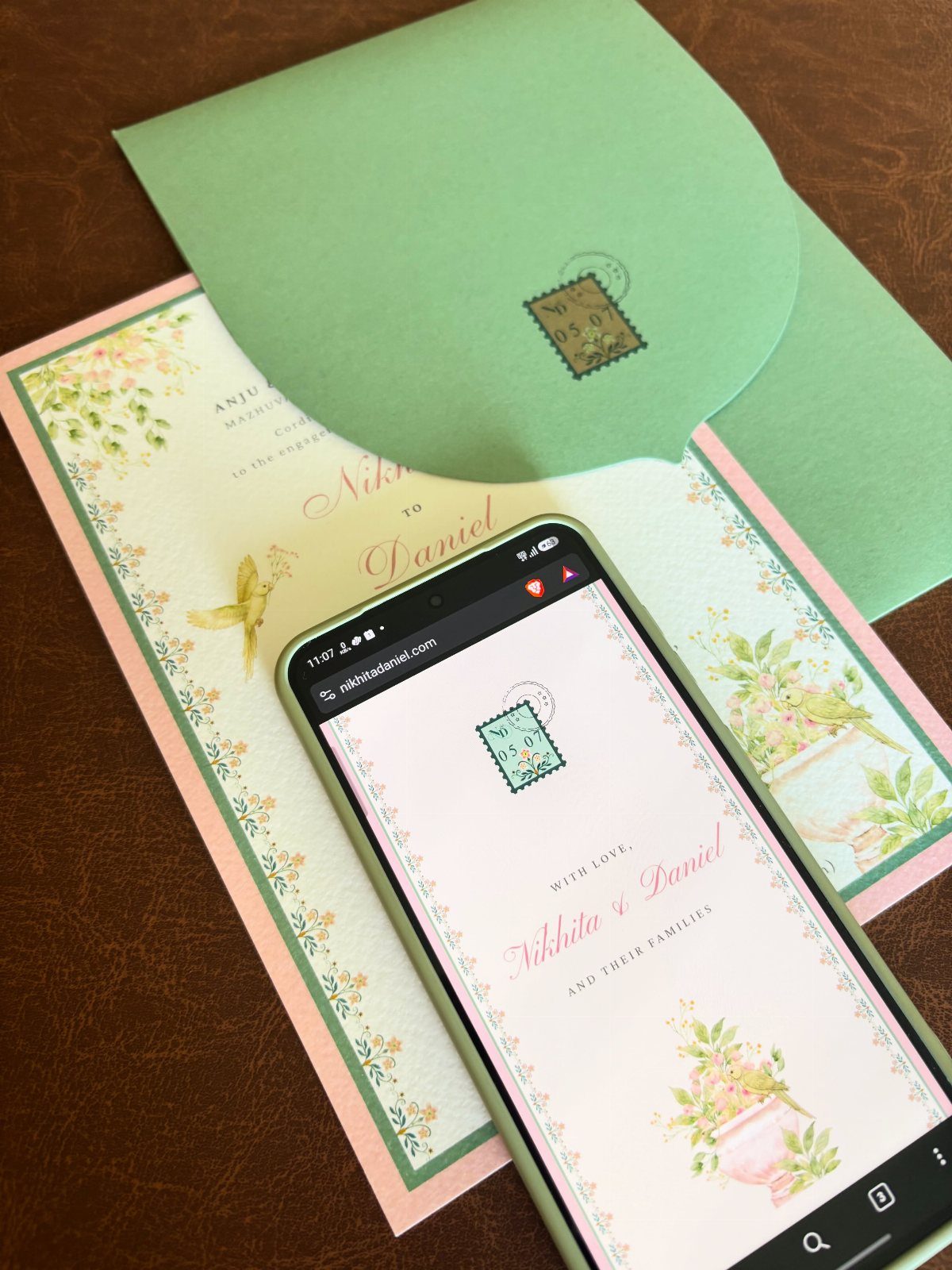
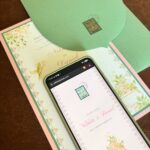
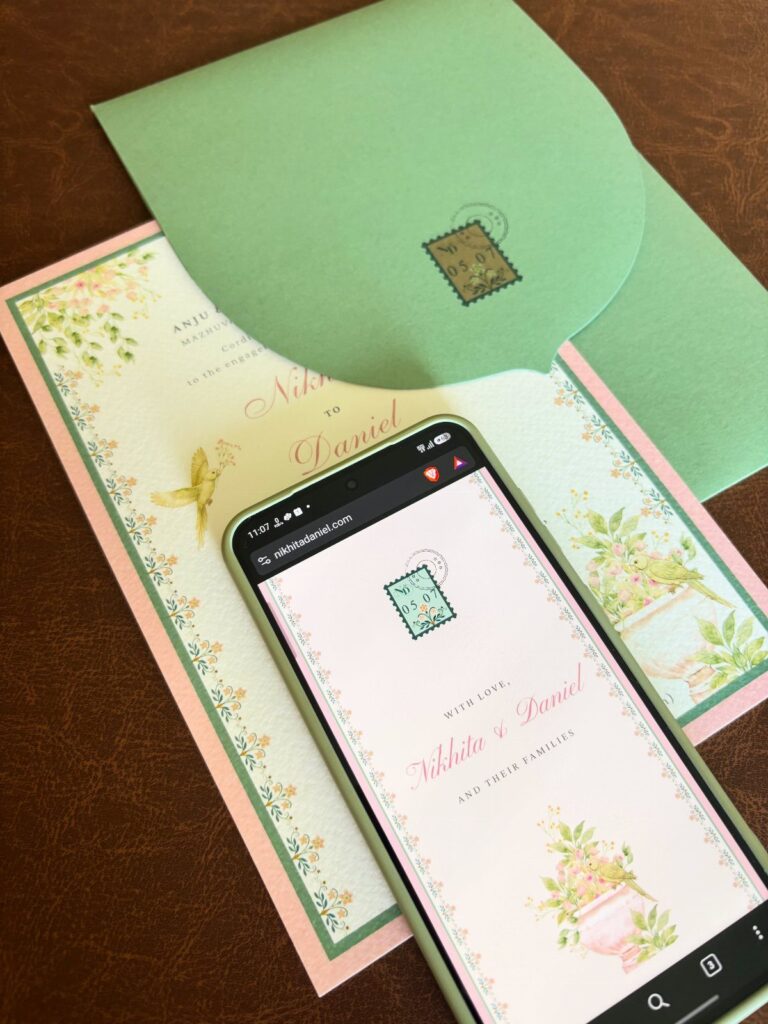
Your website and your printed invitation should look like they came from the same hand. Reuse the same illustrations, the same colors and the same lettering on both.
Printing the web address on the invitation ties the two together, and guests who get the paper suite will know where to go next. A short, simple address is easier to type from a card.
I would pick the website template first, then order stationery in its colors; matching in that order is cheaper than the reverse.
4. Modern Wedding Website Templates
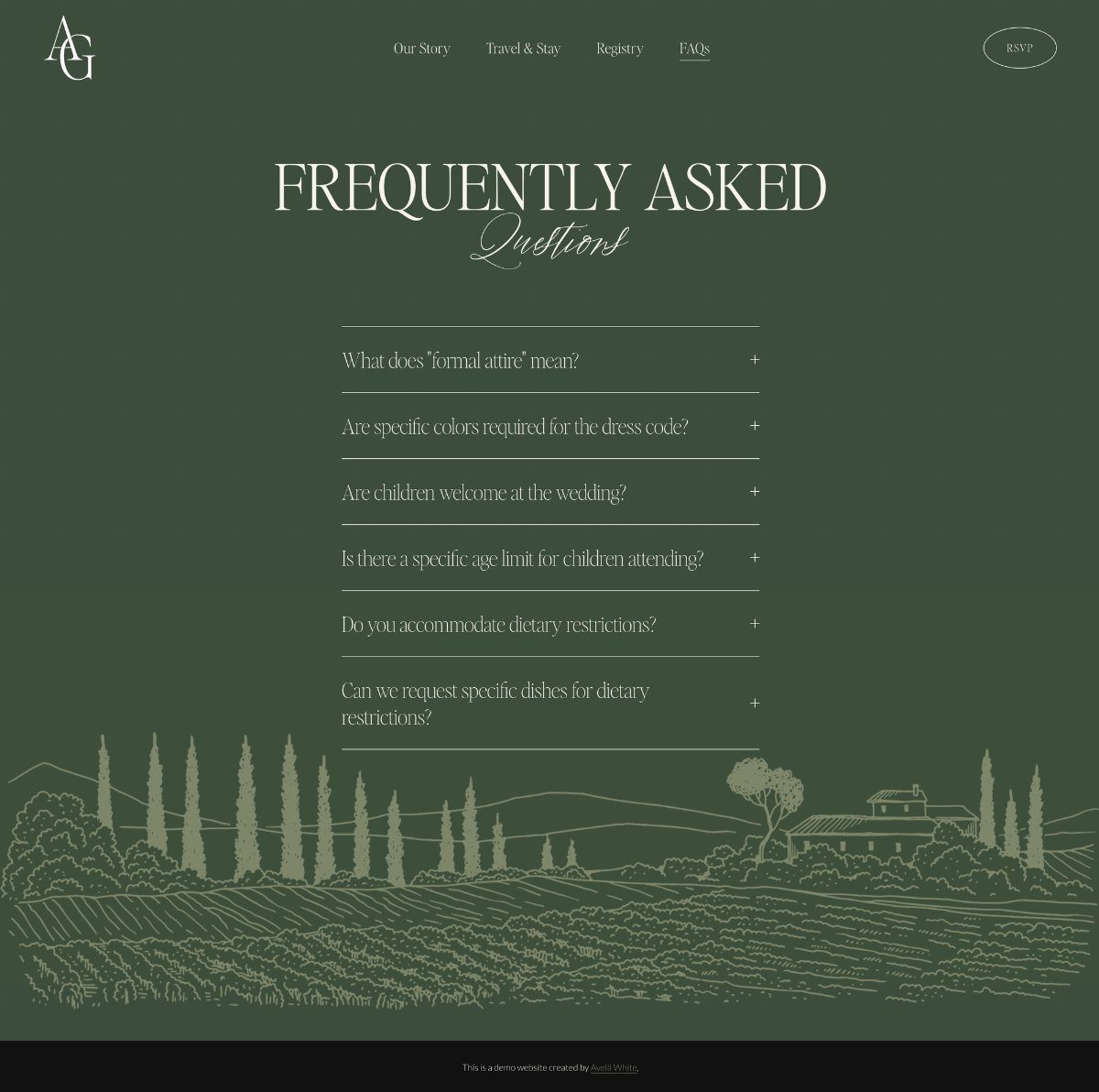
A modern template leans on clean type, plenty of empty space and one flat color.
An FAQ page built as an accordion keeps the answers tucked away until someone taps a question. Parking, dress code and kids are the ones guests ask most.
I like a menu of five or fewer links, with RSVP set apart as a button.
5. Beach Photo Wedding Website
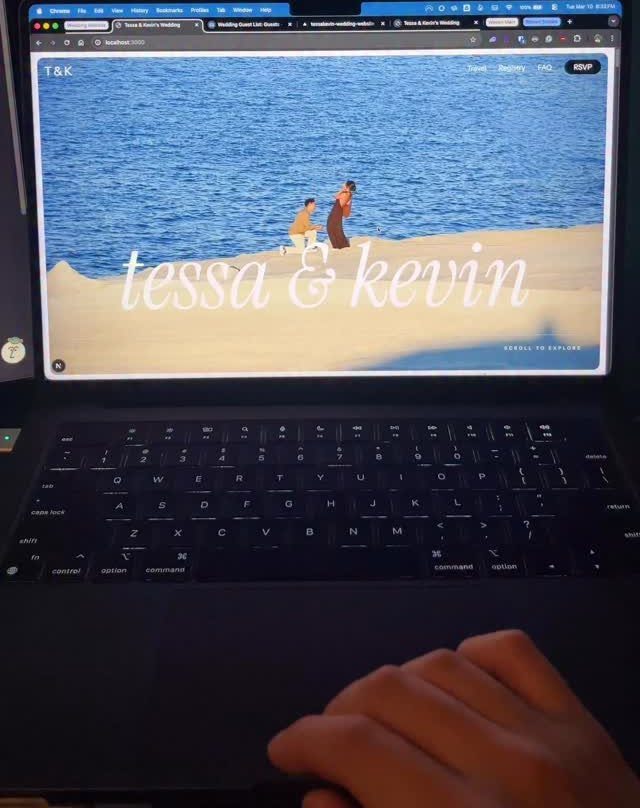
A single beach photo sets the whole mood of a site, so choose one with calm space in the sky or sand where a headline can sit.
Choose a shot where you both read clearly at laptop size, since a wide, faraway frame can shrink you to specks.
Leave some clear sand or sky for the names to sit on. Text laid over a busy area is hard to read on a phone.
If the wedding is not at the shore, a beach engagement photo still works as the cover.
6. Scenic Landscape Wedding Website
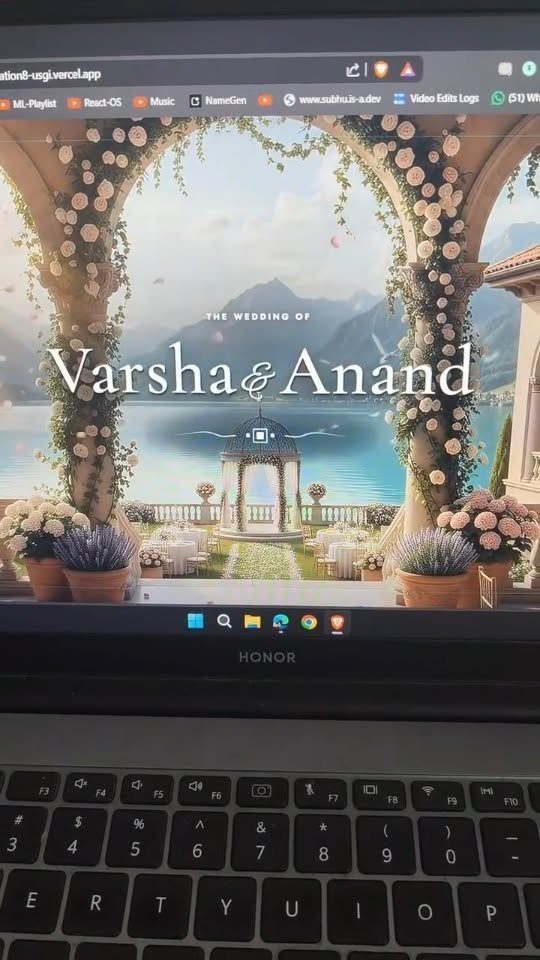
A mountain lake with a floral arch sets a clear scene for the ceremony before anyone arrives. It works best when the photo matches the real venue, so guests know what to expect.
Pick a landscape with a calm sky or water area, because that is where your names will go. Busy foliage behind the text makes it harder to read.
Before publishing, check the page on a phone; wide scenic images often crop in unexpected ways.
Benefits of a Wedding Website
A wedding website holds the details that never fit on paper: maps, hotel info, FAQs and anything else too long for an invitation card. Guests can look it up when they need it instead of texting you.
It also stays current. If the ceremony time shifts or a shuttle gets added, you edit the page once, with no reprinting and no mass texts, and everyone sees the latest version.
Digital RSVPs help with vendors too. Meal choices and headcounts land in one place, so you can hand the caterer a number without chasing down paper response cards.
A short custom URL, something like your names plus the year, is far easier to print on a save the date and far easier for guests to find again than a long default link.
Once travel details, registry links and the day’s schedule are posted, guests can book flights and hotels without texting you to ask.
Choosing a Website Builder
Pick the builder before the template, because the builder sets your limits. I would look for one with wedding-specific templates, since they come with sections for event details, schedules and guest communication already built in.
Most offer a free trial, so test the editor before you pay. Flexibility matters more than any single feature.
Browse real couples’ sites for ideas before you commit. You will see how others personalize a template, and a soft, whimsical look versus a modern, photo-led one becomes easy to decide once you compare them side by side.
When to Start Building
Start as soon as you are engaged. Start 6–12 months out and match the launch to your save the dates, so the design is done before guests go looking for details.
You do not have to wait for final answers. A first version can be just 1 or 2 pages with the date, venue and basics, and the rest can be added as plans settle.
Edits are free and instant on most builders, so waiting for perfect information only costs you time. A simple page live early beats a perfect one that arrives after the save the dates.
Frequently Asked Questions
What is the best template for a wedding website?
Choose a template you can recolor and re-letter freely, and let your venue and the feel of the day steer which one you pick.
How do I make my own wedding website?
Choose a website builder first, then a template, because the builder sets your limits. Try the editor on a free trial before you hand over any money; a clumsy interface will cost you hours later.
Swap in your names, date and photo, then add the RSVP form, and publish a first version of 1 or 2 pages that you can build out later.
When should I start building a wedding website?
Plan to start the site 6–12 months out, then publish it in time for the save the dates to point guests toward it.
What should an RSVP form on a wedding website ask?
Five fields is plenty: name, attendance, plus-one, dietary needs and a short message.
Since caterers want headcounts for each diet early, I would make that field mandatory for anyone who answers yes. A confirmation page after submitting lets guests know their answer went through.
How do I match my wedding website to my invitations?
Pick the website template first, then order the invitation suite in the same artwork, palette and lettering style, so the paper follows the site.
I would pick the site template first and then print the stationery in its colors, because changing a website palette is free while reprinting paper is not.
Print a short, simple web address on the invitation so guests can type it easily from the card.